For trades and local services

Your AI agent video system.
On autopilot.

Film between jobs. Wake up to finished reels.
No time to film? Type one sentence.

Your competitor posts every day.
They just have a system.

Edits your own takesPay onceYour brand on every frameRuns on your computer

Repair shops · Laundromats · Couriers · Pet groomers · Cleaners · Pest control · Mechanics · Builders and trades

Edits your takes AI presenter reels Animated posts
Sound familiar?

Video fills the calendar.
Editing eats your nights.

Post the before and after?After the invoices…

Everyone says show your finished work. Your last post was months ago.

Twenty clips of the job on your phone, then two hours in CapCut at the kitchen table. Still not up.

POSTED

The business down the road posts its before and afters first. Again. Their phone rings.

With
OmniReel
Service promo
Before and after
Same-day service

Your takes edited, or a video from one sentence. Posted before your first job.
Film it yourself

Talk to your phone.
Your AI agent does the edit.

01Get the script, film the takes

Your AI agent writes the script from this week’s offer. Read it to your phone at the counter, in the van or on site. Fluffed a line? Say it again and keep rolling.

02Drop the takes in the studio

It picks the best take of each line, cuts the pauses and stumbles, then adds captions, the price on screen, your job photos and your end card.

03Approve and post

Watch the cut, ask for changes in plain words, export for every feed. Or open the CapCut project and fine-tune it yourself.

No time to film? Skip the camera. Your AI agent makes the video from one sentence, with an AI presenter or animated, like the reels below.

No camera · AI presenters

Your service, said to camera.
Each from one sentence.

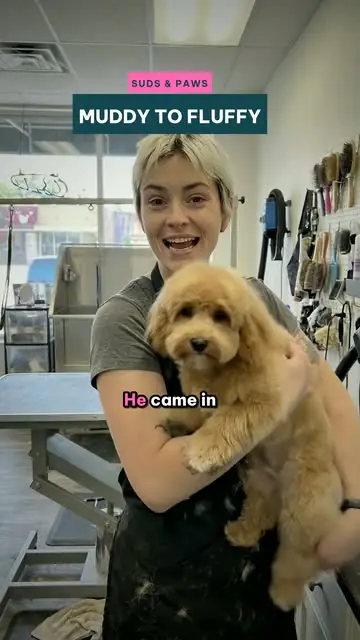
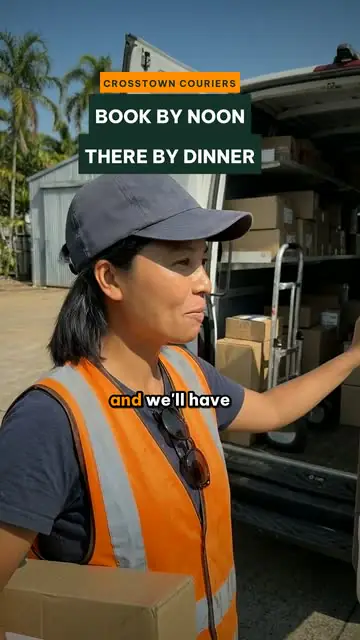
A service promo, a before and after, a hiring call, a safety refresher. Type one sentence and your service becomes a reel with an AI presenter, in a shop, workshop or van like yours. Tap a card for the sentence.

AI-generated footage. The owners, staff, businesses and lines are fictional examples.

Your brand

Your business on every frame.

  • Your logo, colours and fonts, set once.
  • The same captions and end card on your own takes.
  • Prices, phone number, service area and licence number, right every time.
  • Sized for Instagram, Facebook, TikTok and YouTube.
F
FIX LABPHONE REPAIR · EXAMPLE BRAND
Voice
Warm · friendly
Contact
KAKemi Adeyemi · @fixlab.repair
End card“Walk in or book online. Link in bio.”
How it works

Type it. Approve it. Post it.

OmniReel Studio opens in your browser. You type and approve. Your AI agent writes it, makes or edits it and checks it, on your own computer.

Runs on Mac and Windows. Works with Claude Code, Codex or Gemini CLI.

localhost:8765 · OmniReel Studio
StudioAI agent: Claude Code · ready
Format: Service promoLength: 8 sCast: AI presenterExport: CapCut Make video
Your projects
Approved · 12Needs you · 1In progress · 2
Pick a formatLocal businesses post these every week
Service promoFixed in 30 minutes
Before and afterMuddy to fluffy
Service explainerWhy we show the part
Hiring videoTwo welders wanted
Same-day serviceBook by noon
AnimatedMovie trailer
Cracked screen? · service promo format service-promo · 1 shot · 8 s · AI presenter
BriefScriptCastShotsRenderExport
01Hook on screen: CRACKED SCREEN? · FIXED IN 30 MINcard @ 0 s
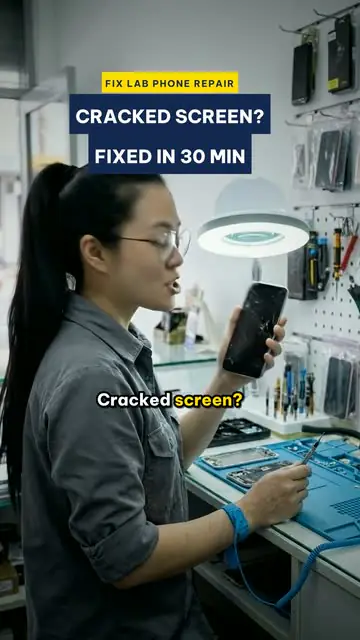
02“Cracked screen? Drop it in, grab a coffee.”shot 1 · presenter
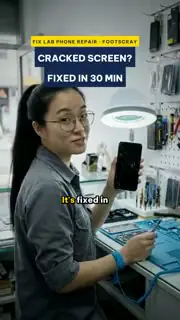
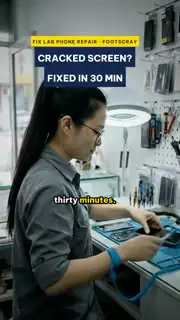
03“It’s fixed in thirty minutes.”shot 1 · presenter
04The repair bench, a lamp overhead, a pegboard of parts behind hershot 1 · framing
Show the cracked screen a second longer before she speaksFixApprove
Ready to postRendered · 1080×1920
MP4 · 9:16Reels · TikTok · Shorts
MP4 · 16:9YouTube · website
Captions · .srtburned in + file
CapCut projectfor hand edits
InstagramTikTokYouTubeFacebook
AI agent powered

The AI you already use.
Now your video editor.

OmniReel turns Claude, ChatGPT or Gemini into a video team: it reads your price list, writes the script, edits your takes or makes the footage, adds the captions and checks the result. You stay the boss: it asks before anything costs money, and waits for your OK on every cut.

Claude Code · ~/OmniReel
Reading the studio guide (AGENTS.md) and your brand kit
Found 3 takes in your folder: 1 min 41 s of footage
Transcribed every word and matched the takes to your 4 script lines
Best take picked for each line (take 2 for the hook)
Pauses cut to a breath, 2 stumbles removed: 33 s down to 19 s
Price checked against your price list: screen repair from $89, ready in 30 minutes
Captions, two job photos and your end card placed
The first cut is waiting in the studio for your OK
You approved
Rendering on your computer: 570 frames on 8 cores
Quality check: no word clipped, captions clear of the phone, loudness −16 LUFS
Done: fixed-in-30-min-9x16.mp4 · captions.srt · CapCut project
Yours, on your computer

Your job photos and prices
stay on your computer.

No upload, no cloud account, no render queue. OmniReel runs on your Mac or PC, so customer addresses, job photos and finished videos stay in a folder you choose.

Private by design

We never see what you make. Your AI agent, voice and video services work under your own accounts, with their own privacy terms.

Your computer does the work

Every frame is finished on your machine. That’s why there’s no per-video fee from us, and why a decent computer matters: 8 GB of RAM minimum, 16 GB is quicker.

What you need →

Gets smarter on its own

Plain files and the AI agents of the three biggest labs. When their models get smarter, your videos do too, with no update from us.

Also in the box

Animated videos too.
Same studio, same sentence.

Not every post needs a face on camera. A laundromat trailer, a circuit board coming to life, a backyard built block by block, a how-it-works for YouTube: 150+ templates and 130+ art styles are in the box, animated on your computer, no footage needed.

Add-on · animated videos

No camera at all.
Any style you can describe.

A laundromat as a blockbuster trailer. A circuit board waking up. Ants invading a 1950s cover. Your route as a transit map. Each one takes a sentence, animated on your computer with voice, music and captions. Tap a card for the sentence.

Add-on · long-form for YouTube

Your YouTube channel too.
Any look you can name.

How a repair works, what goes into a quote, a job from slab to roof. Minutes, not seconds, with voice, music and chapters, and every art style also comes in 16:9.

youtube.com/watch?v=omnireel
Search
30-second preview
0:00HD

Your channelMade with OmniReelSubscribe
12KShare
Up next

130 videos, also in 16:9.

The same template renders wide for YouTube, your website and the screen in your waiting area.

Every 16:9 video

Add-on · art styles

One idea.
Every style.

Same sentence, a different look every time: the drawing, the light, the motion, the type. 26 looks for three ideas below, and 100+ more inside.

The sentence

Add-on · every template

Every template.
One studio.

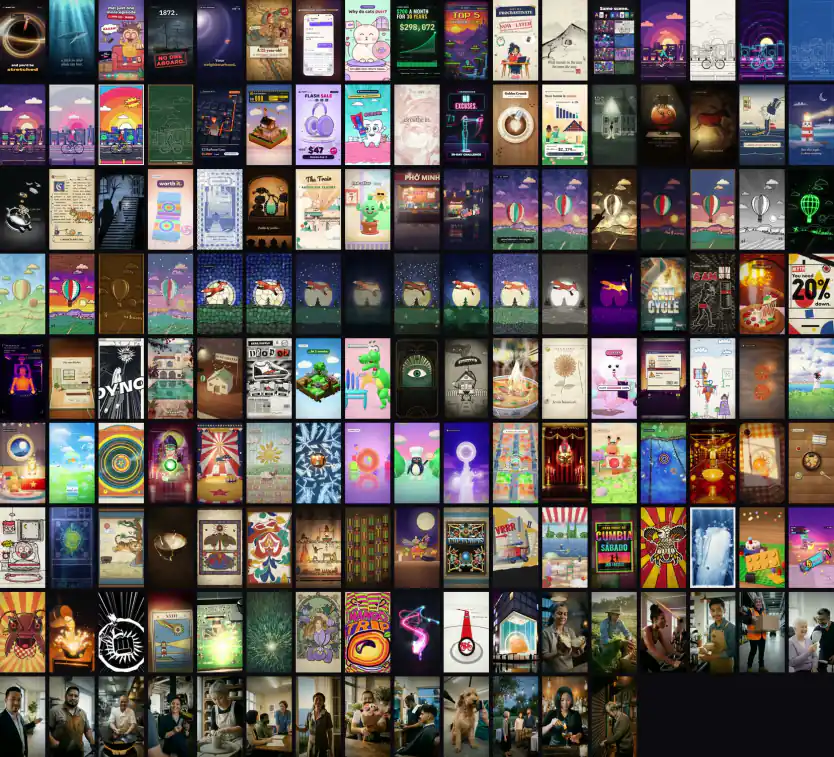
Business ads, faceless channels, real estate, style packs. Tap any card to see the sentence your AI agent gets.

OmniReel Tutorials · on YouTube

Watch the real Studio at work.

Real screen recordings of the OmniReel Studio and of Claude Code at work, on a Mac. No mock‑ups: the tool, the interface and every feature, as you get them.

Everything above

All of it is yours.
For one payment.

0+templates
0+art styles
0+industries
2shapes: 9:16 Shorts and 16:9 YouTube
∞videos, no per-video fee from us

$199 for 150+ templates is less than $1.50 a template. New templates for 12 months, included.

0cameras
0editors
1sentence each
Pricing

Less than one van wrap.

Pay once. Setup included on the plan most local business owners pick.

Studio

Make every video yourself.

$199$299one-time · founding price
  • OmniReel Studio for Mac or Windows
  • 150+ templates, 130+ art styles
  • 9:16 Shorts and 16:9 YouTube, any length
  • Works with Claude, ChatGPT (Codex) or Gemini
  • Runs on your computer: your files stay with you
  • 12 months of new templates
  • Setup guide your AI agent follows
  • 1 month of hands-on help from our team
  • Community support
Buy Studio
Most popular

Studio + Setup

We set it up with you. You post this week.

$499$699one-time · founding price
  • Everything in Studio
  • 60-minute setup call, screen shared
  • Your brand kit: logo, colours, voice
  • Your first 3 videos, made together
  • Priority email support for 12 months
Buy Studio + Setup

Teams & agencies

Templates built for your brand, at volume.

Let’s talk
  • Custom templates in your brand
  • Done-for-you batches
  • Licences for the whole team
  • Training for your team’s AI agents
Talk to us
Secure checkout by StripeCards · Apple Pay · Google PayPrices in USD, nothing added at checkoutFirst video free
Your first video is on us. Tell us about your business, then meet us on a call. We make your video with OmniReel, free. Then decide.Get my free video
Studio + Setup

Not a tech person?
We set it up with you.

We set it up with you. You post this week. Here’s what the setup adds, row by row.

What you getStudio+ Setup
OmniReel Studio for Mac or Windows✓✓
150+ templates, 130+ art styles✓✓
9:16 Shorts and 16:9 YouTube, any length✓✓
Works with Claude, ChatGPT (Codex) or Gemini✓✓
Runs on your computer: your files stay with you✓✓
12 months of new templates✓✓
Setup guide your AI agent follows✓✓
1 month of hands-on help from our team We stay with you while you learn, so you get the most out of OmniReel✓✓
Community support✓✓
60-minute setup call, screen shared We install it with you—✓
Your brand kit: logo, colours, voice Set up once, on every video—✓
Your first 3 videos, made together—✓
Priority email support for 12 months—✓
Buying takes a minute

Pay. Download. Make videos.

01Pick a plan.

Studio, or Studio + Setup if you want us on a call to set it up with you.

02Pay your way.

Card, Apple Pay or Google Pay through Stripe. One page, no account to create.

03Download right away.

The download and your licence key appear on screen and arrive by email.

Before you buy

What you need
on your side.

OmniReel runs on your computer and your own AI agent does the work. Check these first: it takes 20 seconds.

A Mac or Windows computer8 GB of RAM and 10 GB free; 16 GB is quicker. No graphics card needed.Required
An AI agentClaude Code (with Claude Pro, Max or Ultra), Codex (with any ChatGPT plan) or Gemini CLI (with a paid Gemini API key).Required
An AI video accountMakes AI-presenter footage. Billed per clip by that service; your own takes and animated videos don’t need it.For AI presenters
An AI voice accountVoice-overs for animated videos and explainers. Billed by the character.For voice-overs
OmniReelEvery template, every render, every video you make.No per-video fee
20-second check

Will my computer
handle it?

Three taps. On a Mac: Apple menu → About This Mac. On Windows: Settings → System → About.

1. Your computer
2. Its memory (RAM)
3. Your AI agent
For trades and local services

Your first video is
on us.

Tell us about your business, then meet us on a call. We make your video with OmniReel, free. Then decide.

  1. Tell us about your business and the video you want.
  2. Book a call with our team, at a time that suits you.
  3. We make it with OmniReel: the same templates you get.
  4. You decide with the finished video in your hands.
The AI agent you use
Best way to reach you

Free. No card needed. One per business. Next, you pick a time for your call.

FAQ

Business owners ask.

More in the full FAQ, or ask a person.

Are the people in these videos real?

No. They’re AI presenters: the owners, staff and customers in these demos are AI-generated and fictional. You choose for each video: film yourself and your AI agent edits your takes, or skip the camera and use an AI presenter or an animated video. You approve every script and every cut before anything goes out.

Can it edit videos I film myself?

Yes. Film on your phone, read the script once or twice, and drop the takes in the studio. Your AI agent picks the best take of each line, cuts the pauses and stumbles, adds captions, your photos and your end card, and hands you an MP4 and a CapCut project.

Can it use my job photos and price list?

Yes. Put your job photos, price list and licence number in the project folder. Your AI agent reads them, puts the right price and service area on screen, and uses your photos in the video. You approve every frame. If a customer’s home, car or pet is in a photo, ask them first.

Can it make hiring and training videos?

Yes. A hiring video is one sentence: the role, what you offer and how to apply. A training video works the same way: bend your knees, keep the box close. Film it on site or use an AI presenter, and approve it before anyone sees it.

Do I have to label them as AI?

Instagram, Facebook and TikTok ask you to label realistic AI video. Switch on their AI label when you post an AI-presenter reel: one tap, and your account stays in good standing. Your own edited takes need no label.

I’m not technical. Can I still use it?

Yes. Pick Studio + Setup: we set it up with you on a screen-share call, then make your first videos together. After that you type a sentence and approve.

What do I need on my side?

A Mac or Windows computer with 8 GB of RAM or more (16 GB is quicker), and an AI agent: Claude Code with a Claude plan, or Codex with a ChatGPT plan. The full list is above.

What does it cost to run?

OmniReel is paid once. Your AI plan and your video and voice accounts bill you directly: AI-presenter footage uses video credits per clip, while editing your own takes and animated videos use none. There is no per-video fee from us.

Will the videos look like my business?

Yes. Your logo, colours, fonts and end card go on every video, with your name and how to book or buy.

Does it work in my language?

English by default. Ask your AI agent for another language and it sets that project up with a matching voice.

Is it a subscription?

No. Pay once: the price you see is what you pay. New templates for 12 months are included.

Can my whole team use it?

One licence covers one person or one business, on up to 3 computers. For a bigger team, talk to us about a team licence.

Can I see a video for my business first?

Yes: your first video is on us. Tell us what you sell and the video you want, meet us on a call, and we make it for you. Free. No card needed. One per business.

They’re deciding who to call.
Be in the feed.