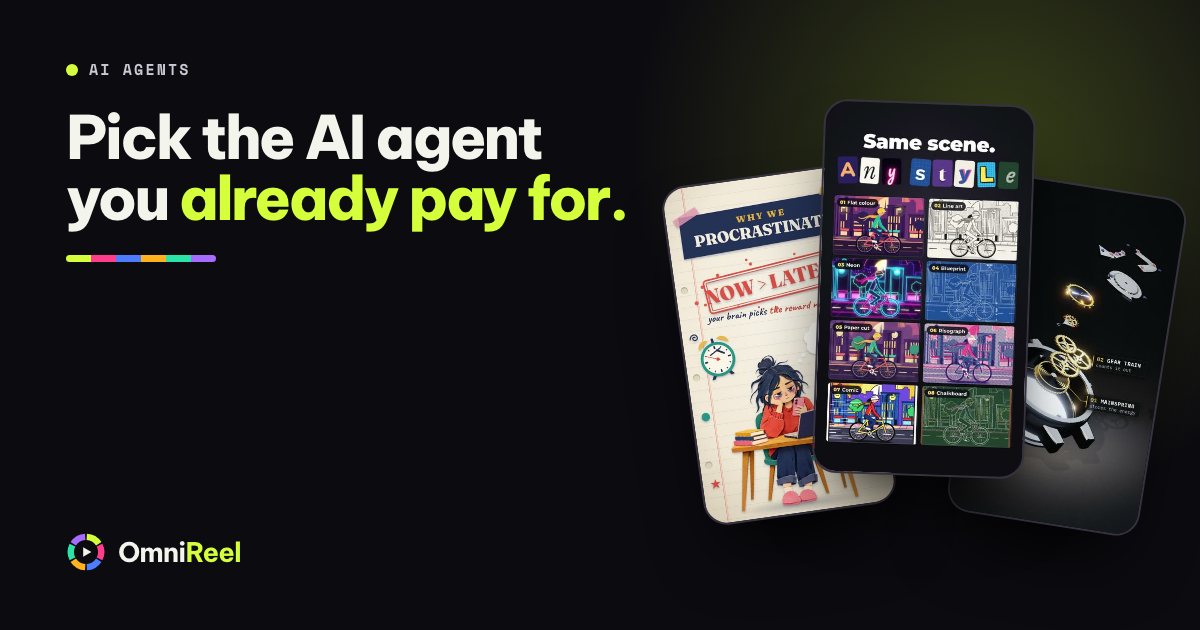
OmniReel is driven by an AI agent, and you bring your own. So before you buy there is one choice to make: Claude Code, Codex or Gemini CLI. The short answer is the one you already pay for. If you pay for Claude, use Claude Code. If you pay for ChatGPT, use Codex. Gemini CLI, the third name on the list, needs a closer look, because Google changed how it works this year.
OmniReel does not include an AI plan and does not mind which of the three you bring. You buy the studio once, and your AI agent is the engine that runs it. That is also why the choice is easy to undo later.
What your AI agent does in OmniReel
The studio opens in your browser. You type what you want and pick a template, a shape (9:16 or 16:9) and a length. Your AI agent does the production:
- Researches the topic and writes the script, scene by scene, to the length you asked for.
- Prepares the pictures in the template’s look, drawn in code or built from your own photos.
- Generates the voice-over through your ElevenLabs account and times the pictures to every word.
- Adds music that ducks under the voice, and sets the loudness.
- Checks its own work: text that fits, nothing cut off, the right loudness.
- Hands back the video, and a CapCut project if you want to finish it by hand.
You approve each step as it comes: brief, script, storyboard, pictures, voice, a short preview, then the video. Comment on any step or frame and press Fix, and your AI agent follows your comments and keeps the earlier version. Switch on Fully automatic and it approves the steps for you, spending only up to the Budget you set on paid steps like the voice-over.
Each AI agent finds the studio’s house rules in its own guide file in the OmniReel folder: CLAUDE.md for Claude Code, AGENTS.md for Codex and GEMINI.md for Gemini CLI. All three lead to the same rules, so the studio follows the same steps whichever you use.
The Create video and Fix buttons start the AI agent installed on your computer: Claude Code first, then Codex, then Gemini CLI. If you have more than one, the buttons use the first they find. That order is a setting, so ask your AI agent to change it if you want another to take the jobs.
Which one to choose
Start with the plan you already pay for. Buying a new subscription to find out which AI agent is best is the wrong first spend. The models change every few months, so any ranking is out of date soon after it is written.
| You have | Use | Why |
|---|---|---|
| A paid Claude plan | Claude Code | It comes with the plan, and the studio’s buttons try it first. |
| A ChatGPT plan | Codex | It comes with the plan. |
| Both | Either | The buttons try Claude Code first. Ask your AI agent to put Codex first if you prefer it. |
| Neither | The plan you would use for other things | You will use the same plan for writing and research too. |
| A paid Gemini API key, or Gemini Code Assist through work | Gemini CLI | Read the Gemini section below first. |
What each one needs
All three need an account, an install and a sign-in. None needs you to write code, and each company’s own pages show the steps.
Claude Code
Anthropic’s quickstart gives one install command for each system, and you sign in with your Claude account in the browser. Anthropic’s help page says Pro, Max and Ultra plans cover Claude Code, and Team and Enterprise members have a separate article.
Codex
OpenAI’s Codex CLI page has the install steps, and you sign in with your ChatGPT account. OpenAI’s help page says Codex is included across ChatGPT plans, with usage limits that vary by plan.
Codex works inside a sandbox that blocks a few browser commands the studio needs to render and check videos. The studio runs those commands for it, so Codex renders and checks videos like the other two.
Whichever you choose, the first step in OmniReel is the same (the setup guide has the detail). Open the unzipped OmniReel folder with your AI agent and say:
Read START-HERE.md and set everything up for me.
It installs the tools, asks for your ElevenLabs key, checks your computer and makes a test video that costs nothing. The studio’s own check also tells you whether the Create video and Fix buttons can start the AI agent you installed.
Gemini CLI has changed this year
On 19 May 2026 Google announced that it is moving from Gemini CLI to a new tool, Antigravity CLI. From 18 June 2026 Gemini CLI stopped serving Google AI Pro and Ultra subscribers, and people using it free through Gemini Code Assist for individuals. It stays for organisations with a Gemini Code Assist Standard or Enterprise licence, and it remains available with a paid Gemini API key.
OmniReel’s buttons can start Gemini CLI. They cannot start Antigravity. So Gemini CLI is a good fit if your organisation has the licence, or if you have a paid Gemini API key from Google AI Studio. With only a free Google account, pick Claude Code or Codex. OmniReel’s guide also covers Antigravity as a by-hand option: the studio’s jobs wait for the AI agent you have open, and you tell it to take the jobs from the studio.
Watch for old advice. Some older guides still say a free Google account works with Gemini CLI. Go by Google’s announcement and the notice at the top of its Gemini CLI pages.
Plans, limits and what a video uses
A video is a long job for an AI agent: research, a script, pictures, a voice-over and checks, then fixes when you comment. It counts towards your plan’s usage like any other task you give it, and each company sets limits by plan:
- Anthropic: Pro and Max plans have a five-hour session limit and a weekly limit.
- OpenAI: usage limits vary by plan, and a long-running task can use substantially more than a short request.
- Google: a Gemini Code Assist licence sets a daily request limit for each user, and a paid Gemini API key is billed by use.
The voice-over is a separate bill. ElevenLabs charges by the character, about 1,000 characters for each minute of narration, and the studio asks before it spends anything on it. A bigger AI plan lets you make more videos a day. It does not change what the voice costs.
Make your first videos short, watch your usage for a week, and move up a plan only if you hit a limit.
On a Claude plan? Anthropic’s help page says that if an ANTHROPIC_API_KEY is set on your computer, Claude Code uses that key instead of your plan and you pay for API usage. Ask your AI agent to check that none is set.
Switching later, and getting better as the models do
Your projects are plain files in a folder you own: HTML, JSON, MP4, SRT and CapCut. They do not belong to an AI agent. To switch, open the same folder with another one. It reads its own guide file and follows the same rules, so a video you started with Claude Code can be fixed with Codex the next day.
The models behind your AI agent improve the same way, and your studio follows. When Anthropic, OpenAI or Google ships a better model, your AI agent can use it, and your next video does too, with no update from us. Models also retire: OpenAI’s help page notes that two older models are no longer available in Codex with a ChatGPT sign-in from 31 August 2026. OmniReel sits on top of your AI agent, so your studio moves with it.
Gemini CLI’s change shows why OmniReel is built this way. When a vendor changes its tool, you change your AI agent. The studio and your projects stay as they are.
Your next step
The setup checklist below puts it on one sheet: what to have ready before you buy, the install, opening the studio, three first sentences to try and what to do if something fails. To see a finished video before you decide, ask for yours free, and check your computer in 20 seconds on the requirements page.
 Free checklist · 6 pagesOmniReel setup checklistWhat to have ready, how to install, your first video and what to do if something fails. Tick each box as you go.Get the free PDF